Ambiente The Show. Dal 9 al 13 Febbraio a Francoforte sul Meno

Messe Frankfurt si prepara ad ospitare, dal 9 al 13 Febbraio, "Ambiente The Show": fiera leader internazionale e appuntamento numero uno al mondo dedicato ai beni di consumo.
Si tratta dell’evento più grande al mondo dedicato ai beni di consumo per il dining, giving e living. La fiera è riservata ai professionisti ed accoglie esperti di settore. Ospiterà più di 4.400 espositori provenienti da oltre 94 Paesi. Le quattro giornate di Fiera saranno arricchite da eventi, incontri e conferenze.
Non mancheranno articoli per la ristorazione, complementi d’arredo per la casa e il settore contract. Quest’anno il paese partner della manifestazione saranno i Paesi Bassi con la mostra nella galleria 1 curata dal designer olandese Robert Bronwasser. 
Ad Ambiente 2018 quattro nuove tendenze stilistiche sviluppate e allestite in una mostra a cura dell’ufficio stile bora.herke.palmisano: Modest regenerations, Colourful intentions, Technological emotions, Opulent narrations. Per rappresentarle gli esperti hanno scelto i concetti “Fusion, Link, Connection”, poiché “ognuno dei quattro temi di tendenza contiene aspetti diversi e talvolta apparentemente contrastanti” - ha spiegato Annetta Palmisano – “si tratta sempre di più della ricerca del benessere, dei valori, delle alternative e in ciò l’attenzione si focalizza sul quotidiano, sulla lavorazione a mano, sulla sostenibilità e sulla futuribilità”. 
Le quattro giornate di fiera saranno arricchite inoltre da un vasto programma di eventi, conferenze e momenti d’incontro con i principali players internazionali.
L’azienda organizzatrice della fiera rende noto che è possibile acquistare online i biglietti d’ingresso ad un prezzo di prevendita agevolato e di poter usufruire della convenzione con Lufthansa per volare a Francoforte. Con lo stesso biglietto d’ingresso sarà anche possibile viaggiare gratuitamente sui mezzi pubblici della città. Inoltre sul sito di Messe Frankfurt Italia si possono consultare le linee guida per organizzare al meglio la propria visita.


Archipalette da 110 e lode

Il colore è un elemento essenziale per esprimere se stessi e il proprio stile, anche in casa o in ufficio. Oltre a rendere gli spazi più confortevoli e stimolanti, l’uso sapiente delle scelte cromatiche all’interno degli ambienti è fondamentale per modificare la percezione di luminosità e dimensione degli spazi, assumendo quindi un carattere non solo estetico, ma anche funzionale. 
Specializzata in vernici e soluzioni per la decorazione d’interni, Cap Arreghini lancia Archipalette, un nuovo progetto a supporto dei professionisti del colore, architetti e interior designer.


INFINITE COMBINAZIONI

Archipalette si presenta in una selezione di 110 tinte, classificate con cura in una scala composta da tinte neutre e classiche e da toni profondi e desaturati, in perfetta sintonia con gli stili dell’interior design più attuali. L’uso di toni diversi si basa su tre principali schemi di colore: monocromatico, coordinato e di contrasto

Archipalette AP054-AP050

INFINITE COMBINAZIONI

L’azienda, specializzata in vernici e soluzioni per la decorazione, lancia un nuovo progetto a supporto dei professionisti del colore, architetti e interior designer. Comprende oltre un centinaio di tinte, classificate in una scala studiata ad hoc per gli ambienti interni questo modo è possibile creare infinite combinazioni gradevoli e versatili, in grado di generare emozioni. Con Archipalette, Cap Arreghini rafforza la sua posizione a fianco dei professionisti del design e della decorazione, garantendo uno sviluppo costante della propria gamma prodotti per soddisfare le esigenze contemporanee dell’interior design.


DUE DIVERSE LETTURE

Ma come si legge Archipalette? Ogni colonna della palette rappresenta un piano tinta sino ad arrivare a 110 colorazioni derivate. Per creare gli abbinamenti è possibile scegliere due colori della stessa colonna, ottenendo un abbinamento tono su tono (lettura verticale), oppure scegliere colori nella stessa riga ottenendo armonici contrasti cromatici (lettura orizzontale).

Archipalette lettura orizzontale                             Archipalette lettura verticale

Le 110 tinte contenute in Archipalette sono riproducibili con gli smalti murali della linea K81 e con le idropitture da interno della linea Ecolora di Cap Arreghini.


Sfoglia il catalogo per scoprire la gamma


Partners news

ModCell® Straw Technology. The Eco-Innovate European Research

03 April 2019

ModCell® is one of the first products to make large-scale, carbon-negative building a commercial reality. The ModCell®system utilises the excellent thermal insulation qualities of straw bale and hemp construction to form prefabricated panels, made in a local Flying Factory™.

 ModCell

ModCell® allows super-insulated, high-performance, low energy ‘passive’ buildings to be built using renewable, locally sourced, carbon sequestering, sustainable building materials. ModCell®: moduli in legno e paglia

ModCell® is designed for use in offices, schools, housing and commercial buildings. This innovative, offsite-manufactured wall and roof cladding system can be quickly and efficiently installed, creating buildings with thermal performance up to three times higher than the current building regulations require. ModCell®: moduli in legno e paglia

This super-insulated system, combined with our airtight details, means that buildings constructed using ModCell®panels meet the demanding PassivHaus specification. As a result, ModCell®buildings can have zero heat requirements, saving money and CO2 emissions. ModCell® panels are available in three variants: ModCell® Traditional panels are delivered to site with a two layer render finish inside and out. A finish skim coat is applied on site from a scaffold or cherry picker.ModCell® Core is a factory finished fully closed, dry lined panel system using breathable sheathing boards in place of the lime render. The standard external finish is breathable sheathing board, battened ready to receive a variety of rain screen cladding systems. the internal sheathing board is ready to accept a variety of internal boards. ModCell®: moduli in legno e paglia

ModCell® Core + is as the Core panel above, the external battens are replaced with 40mm of wood fibre breather/render board. The wood fibre board then has a thin coat breathable render system applied. Both the wood fibre and render is applied onsite. ModCell® Core + meets the demanding PassivHaus standards, see opposite. All panels are located with a tolerance gap between them and sealed using compressible tapes. Weathering details vary from project to project  and are developed by ModCell® in conjunction with the project designer. See typical details for recommended finishing and weathering details. ModCell®panels can be lifted into position on site using a telescopic arm or crane. The mass of the largest ModCell®panel is 1.7 tonnes. Panels are sealed using a range of airtight tapes.

ModCell®: moduli in legno e paglia

Weathering details vary from project to project and are not supplied by ModCell®. The ModCell® Core + System delivers on the demanding PassivHaus specification requirements for U-values, air-tightness and thermal bridging.

PassivHaus projects combine the excellent performance of ModCell® with improved glazing specification, Mechanical Ventilation Heat Recovery (MVHR) and project and location specific design. We are able to deliver this as an additional service for our modular solutions. Sequestered Carbon: 3m x 3.2m panel 1400kg of atmospheric CO2
Typycal 100m2 BaleHaus 43 tonnes of atmospheric CO2. All ModCell® Panels can be manufactured in a variety of module sizes. (Fabiana Cambiaso, Università La Sapienza Roma) www.modcell.com Figures: © ModCell®   ModCell® system prefabricated wood panels with insulation of straw bale, ModCell® , Bristol, UK Partenership with University of Bath, UK Material:  Wood, Straw Applications: Prefabricated panels.

Edoardo Croci  

Green building

Dolomitenblick, my project with copper

Dolomitenblick - Ulla Hell architect presents his project in a residential area in the hilly landscape of the Dolomiti. And he explains why he chose copper as façade material. www.plasmastudio.com/
Materials

Stainless steel becomes protagonist at Museum of Contemporary Art

20 November 2018

A large irregular mirror Prism with irregular and changing facets beyond: this is the new home of the Museum of Contemporary Art (MOCA) which was inaugurated in October in Cleveland. The four floors of the building are encapsulated in a faceted surface made of blue stainless steel with multiple purposes. The transparent façade coating has a special mirror enamel that allows you to filter the sunlight. In this way the interiors are well lighting, while the heat remains outside: this solution also solves the problem of natural overheating. The Museum can be accessed from all six sides, so the structure makes the most of the flexibility of the spaces. The diagonal orientation, finally, allows the building to be reflected on several fronts. Visitors can live a unique experience, having the illusion of a moving perspective. Ready to receive LEED Silver certification for its high energy-saving standards, the 34 thousand square meters minimalist black cube has been designed by the Iranian architect Farshid Moussavi.     www.mocacleveland.org www.farshidmoussavi.com

Marco Mignatti

Architecture

Straw Bale Cafè: innovation made of straw

Straw Bale Cafe: wood, straw and innovation

This project comprises an extended 100 seat cafe, refurbished kitchen and cafe terrace. It is conceived as a learning aid in low-impact environmental design, featuring:

  • Prefabricated Construction: To minimise disruptive on-site works, the building structure was prefabricated in a nearby barn.
  • Demountable: The building is designed to be dismantled at end of 15 years and most components re-used / re-cycled.
  • Energy efficient: The building is highly insulated, naturally ventilated and naturally daylit.
  • On-site energy generation: The building generates up to 6kW from photovoltaic panels and wind turbine.
  • Local Materials: Cedar cladding and organic straw from the College estate. Wall plants from local nurseries.

We chose to pre-fabricate the building structure, in order to avoid the need for certain lengthy and disruptive on-site processes.

The Modcell load-bearing panel system was used. The panels were assembled in a ‘flying-factory’ in one of the College outbuildings by architecture students from Nottingham University and members of our practice. A key advantage of this modular form of construction is that the building can be easily dismantled at the end of its useful life and most components reused and/or recycled. This is important because the College has long-term plans for the redevelopment of the campus over the next 10-20 years.

Materials The choice of materials has sought to make the most of the College’s natural resources. The 60 organic straw bales used to insulate the building come from the College’s own farm. The western red cedar cladding and decking was forested from the college’s 150 acres of woodland. This was cut to size on-site, by College contractors, just a few hundred yards from the building. The green cladding was planted by College students with learning difficulties, using indigenous varieties sourced from local nurseries.

Sustainability Prefabricated. The building structure was prefabricated using the ModCell load-bearing panel system in order to minimise environmentally disruptive on-site works.

Renewable The building is constructed from renewable materials where possible, e.g: PEFC or FSC certified timber and straw (a by-product of the agricultural industry).

Local Materials The building is constructed using local materials where possible, including organic straw bales from the College farm, western red cedar from the College estate and wall plants from local nurseries.

Low-Waste Straw bales were cut to size in the College farm – trimmings were composted or used as animal bedding. The frame is made using offcuts from the timber industry. Cut waste was minimal, as each panel was precision cut from larger sheets using CNC equipment, but any waste was re-used the factory’s biomass boiler. Offcuts of aluminum and steel and were minimised by the design, but any offcuts were collected and recycled via the scrap industry.

Recyclable The building is designed to be dismantled at end of its 20 year design life and most of components re-used / re-cycled. On-site Energy Generation The building generates up to 6kW of green electricity from solar photovoltaic and wind power sources. A monitor displays power generation statistics to the building users.

Energy Efficient The building requires very little heating/cooling as the 450mm of straw bale insulation provides a u-value 3x better than current regulations require (0.14). The building is naturally ventilated and makes use of natural daylight where possible. All artificial lights are on motion and daylight sensors.

Carbon Sequestering Each 3m x 3.2m prefabricated load-bearing panel sequesters approximately 1400kg of atmospheric CO2.

Green Wall The green wall is planted with local varieties to enhance the biodiversity of the building. The ‘green’ cladding minimises the visual impact of the scheme, as well as reducing CO2 emissions through better temperature regulation and increased building insulation. It also reduces the amount of storm water run-off from the building.

Education The building is designed as a learning aid in low-impact environmental design, having relevance to many of its students through their curriculum. College and University students have been be involved in the design, construction and ongoing maintenance of the building. A permanent display panel within the cafe tells the story of its construction.

(F.C.)

Materials

Build4future. Cooperation for building the future

06 December 2018

Global trends make now new solutions in the construction industry necessary. The Fraunhofer Innovation Engineering Center (IEC), along with 12 small and medium-sized enterprises in the construction sector in South Tyrol has launched a research project detailed in this regard. Development of innovative and sustainable methods, handcrafted processes, technical and organizational innovations and a lot of planning: these are the main focus of the research team that is part of the Build4future project. Supported by the province, with the participation of the Faculty of Science and Technology of the Free University of Bolzano, CasaClima Agency and the TIS Innovation Park for scientific aspects, it has very important aims as to trace strategies for the industrialization of processes in the construction of buildings. The need arises from the current situation of construction companies. These are mostly small or medium size and they have a good level of technical knowledge within them, but this is not enough to put them in competition with other European companies that operate at a lower cost. To meet this challenge, and therefore be in step with the needs of the future, at the beginning of 2011 the Build4Future cooperation project was created; in this project the economy cooperates with science to develop the necessary strategies and measures. The Institute took part at KlimaHouse 2014 with the Build4future group to sensitize the public to the issue of sustainable innovation and, above all, to send out a clear signal that push all going in the same direction. The key word seems to be cooperation between different actors operating in the field in the different phases of design, planning and implementation.   Fraunhofer Italy Established in late 2009 in Bolzano, it is a branch of the Fraunhofer Society, the first organization for applied research in Europe. The name comes from the German physicist Joseph von Fraunhofer. The projects to which the company devotes itself are international and able to tap more disciplines: general optics partnership aim to create a network system to achieve the desired results by the various innovation projects. www.fraunhofer.it/it/Progetti/Build4Future.html

Carlo Bardelli

Green building

TUTORIAL 2: Revit family – The 3D BIM furniture project in the project.

Guide to inserting a furniture family within an architectural project


 Revit family 

In this tutorial, we will continue to study the relationship between the parameters of the Revit family used as an example, the "Solo S62" chair and their operation within an architectural project.


Remember that the creation of the BIM object, commonly called families in Revit is essential for the completion of 3D BIM models and for their proper operation.


BIM objects are commonly searched on the Internet for inclusion in a design environment such as Revit Families without being in any way modified and often ignore the fundamental characteristics, how they were made, with which parameters, what purposes they must meet and what is the potential for interaction with 3D model under construction.


Differently from what happens with an Autocad “.dwg” File or a".ifc" File, a ".rfa" file (Revit BIM Families are ".rfa" files, Revit BIM Projects are ".rvt" files), when a "BIM Family" object is added to a project 3D Parametric Model, the latter is enriched with all the information contained within the inserted object that can, therefore, be interrogated, edited, accounted for, etc.


They are interior design objects such as chairs, tables, armchairs, and sofas, or real architectural models such as doors, windows, textures, and coatings etc. and, therefore, we need to know its characteristics to better exploit its potential and integration with the main BIM model that hosts them.


In the previous tutorial we focused on the operation of the Material and finishes types of parameters, we will now see how other parameters present in our furniture object have been created and how to use them in our project BIM environment.


In particular, we will focus on the "Identity Data" Parameter Type.

pic 1

                                                                                                            Revit -  family parameters – identity data

This information, generally provided by the manufacturer of the furniture item, can be very useful to, for example, compile furniture abacuses or view the features within the project layout. 


First, let's see how to create a new parameter:


-    Click on the “new parameter” icon; enter the name of the new parameter to be assigned to the family (for example, “Finish”);
-    From the "Discipline" drop-down menu select “Common”;
-    From the "Parameter Type" drop-down menu, select “Text”;
-    From the "Group parameter in" drop-down menu, select "Identity Data”.

pic2

                                                                                                                 Revit -  family parameters – identity data 2

We have now created a new BIM Family parameter within the "Data Identity" type to which we will associate a corresponding value, for example, "Leather and brushed aluminium" taken from the manufacturer's specific Interior Design catalogue.


All "Identity Data" parameters of the downloaded Revit Family were created in a similar way.


Now we will see how this information can be exploited in a BIM project environment.


Suppose you need to set up a furniture solution within an already prepared 3D BIM model by uploading our 3D Object and positioning it in a plan view inside a room already labelled as such, for example, a "living room".


From the “Create” menu, select “Load into project” and use the mouse to place the chair inside the room chosen.

pic3

                                                                                                                Revit – furniture family – adding to your project

Key note

Now we have the furniture BIM object inside a Revit project environment and we can verify the characteristics by simply selecting it as has been done before, and the information contained inside it, its parameters, can be interrogated and retrieved to properly itemize a furniture project through notes or creating specific abacuses.


Let's now see how to display an indication of findings. 


The easiest way is to assign a label to the piece of furniture through the use of the key note.


In a design environment, in “Note” found in the "Key note" drop-down menu, select the "Element key note" and then select our chair.

pic4

                                                                                                                           Revit – furniture family – keynote

Graphically you will see a note, which exactly refers to the "Key note" parameter text contained inside the selected Furniture family. 


To verify this, select the Interior Design object, from the properties bar select "Edit type" and the menu of the properties of the imported 3D family type will open.

pic5

                                                                                                                           Revit – furniture family – Keynote 2

This is an example of how, in addition to performing a graph completion function, in this case of furniture, a Revit family contains a series of information and functions that allow to interact with the project 3D model that is intended to host it.


These parameters, which we have previously defined as the performance output of the Revit family, they can be retrieved at any time and in a different manner depending on the design requirements and within a BIM 3D Project.


Now we complete a furniture solution by downloading and inserting further Design objects such as:
-    A table;
-    One or more sofa elements; 
-    A chaise longue; 
Etc.


We place families, elements of interior design inside the furniture project and, like before, we assign a label to the BIM object by using the key note.

pic6

                                                                                                                               Revit – furniture family – Keynote 3


Similarly to what was seen previously for the "chair" furniture item, we now have a note for the "sofa", "table" and "chaise longue" that exactly retrieves the text of the "Key note" parameter contained in the Furniture family.  

Furniture abacus

Nel caso volessimo arricchire il nostro layout architettonico con ulteriori informazioni sugli elementi d’arredo, senza troppo appesantire la veste grafica è consigliato usare un abaco.

An abacus should be used if we want to enrich our architectural layout with additional information about the furniture items, but without weighing down the graphics.


Revit abacuses work like masks that contain and retrieve the parameters of the entire BM 3D model and, therefore, it is possible and in a very effective way to build one or more abacuses of furnishings that contain much more information on the furniture elements that can be added to an Architectural project.


In the project Browser, right-click on “Abacuses/Quantities” and select “New abacus/quantity
 

pic7

                                                                                                                                                  Furniture abacus - creation

Select "Furniture" from the next drop-down-menu

pic8

                                                                                                                                                Furniture abacus - creation 2

The new mask that appears is the interface for creating the furniture abacus that we are setting.


On the left column we see the selectable fields, on the right we see the fields that we want to add to our table. These fields are the relationship between the parameters that exist within revit families and their reference (field) inside of the architectural project.


Proceed by entering only the “fields” needed to describe the individual Interior Design objects that make up our furnishing project. To help us correctly fill in the abacus, repeat what was done before, select one of the objects and with "Edit type" check which parameters are contained within the Revit families that we want to of Revit, and that we want to retrieve in our abacus. 

pic9

                                                                                                                                              Furniture abacus - creation 3

Select the following fields in the left column and with the green arrow add to the abacus (the red arrow removes the field from the abacus):
-    Key note;
-    Description;
-    Manufacturer;
-    Cost;
-    URL;
-    Model;
-    Image.

pic10

                                                                                                                                                Furniture abacus - creation 4

The abacus that is generated is a new view inside the project Browser and is presented as a table the columns and rows of which contain all the elements recognized as “Furniture” within the BIM Model.


The first field, “Key note” retrieves exactly what was viewed before within the plan view of the Architectural project, the other fields retrieves all the specific information (parameters) that have been retrieved.  However, note how there are two fields with no information whatsoever, which are the “Cost” and "Image" fields.


In relation to the first, which is useful to estimate, and give immediate visual feedback of the cost of each item, we simply need to change each Furnishing family by adding a cost for each; returning to the plan view, select each individual interior design object with "Edit type" enter in the Revit family type properties and add an estimate or cost from the catalogue (the values inserted are purely indicative). 
 

pic11

                                                                                                                                                  Furniture abacus - creation 5

The furniture abacus is now updated with the costs of the individual furniture items.

pic12

                                                                                                                                                 Furniture abacus – creation 6

In order to improve the graphics of the abacus, a preview of the furniture elements included in the Architectural project could be useful.


To do this you need to upload images (that can be downloaded at the same URLs) from the "Insert", "Manage images", "Add" menu from the manage tab that appears.

pic13

                                                                                                                                    Furniture abacus – managing images 1

By returning to the "Furniture abacus" screen, it is possible to connect each Interior Design Element to its preview image by selecting the corresponding cell. Again the "Manage images" selecting will be displayed, select the image of the corresponding Furnishing and repeat the operation for all other chairs, tables, sofas, chaise longues found in the Architectural project.


pic14

                                                                                                                                Furniture abacus - managing images 2

Now the furniture abacus has all preview images loaded.
To view them you need to, drag the “Furniture abacus" view inside a project table.

pic15

                                                                                                                  Furniture abacus - insertion into a project table

Tutorial

Panchoran Retreat, a natural paradise

28 December 2018

Panchoran (which means “spring”) is an earthly paradise hidden in the forests of Bali: it is the ideal place for those who want to escape the hustle and bustle of the city and enjoy some wonderful moments. Here the Irish designer Linda Garland made her Panchoran Retreat.   Panchoran Retreat is a haven built with bamboo, which grows wild in the area, and with old telephone poles purchased by the local government. Here everything is warm, cosy and made of natural materials, most of them recycled or locally sourced. Panchoran RetreatThe five airy and independent villas scattered through the forest are made of bamboo, and they are rested on former telephone poles and native herbs taken directly from the courtyard of the resort. The woods come from old houses and roofs are made of alang alang, a type of grass which grows in the grounds of the estate. Panchoran RetreatDon’t forget the swimming pool surrounded by greenery, sparkling waterfalls and organic gardens, where Garland cultivates rice, palms and medicinal plants.   Even the furnishings of the Retreat were almost all designed by Garland; the minimal furniture is based on curtains and pillows. The flagship of this earthly paradise is the Jungle Gym, an area dedicated to yoga, suspended like a bridge over the river. Using a small hydroelectric system, Linda Garland began producing electricity using water from the river.   This is a true heaven, a tribute to nature!

Carlo Bardelli

Green building

IL MONDO DELLE WINX VOLA ALLA DESIGN WEEK

Un grande progetto di Rainbow per esaltare i valori del Made in Italy

in collaborazione con CILAB - POLITECNICO DI MILANO


Il design incontra il mondo della magia con le Winx: le fatine più trendy dell’universo, fiore all’occhiello di Rainbow e del Made in Italy, sbarcano alla Milano Design Week 2019 grazie al progetto “WINX LIFESTYLE MAGIC AND DESIGN”, frutto della prestigiosa collaborazione tra la global content company di Iginio Straffi e CILAB - Creative Industries Lab del Dipartimento di Design del Politecnico di Milano.


L’ambizioso progetto, che si colloca all’interno delle celebrazioni del 15esimo anniversario di Winx Club, ha coinvolto gli studenti che hanno analizzato le personalità, stile e i tratti distintivi di ognuna delle sei eroine, reinterpretandoli in veri e propri concept di lifestyle, innovativi e ricchi di magia.


I sei progetti, presentati alla Design Week di Milano, sono veri e propri spazi espositivi emozionali ispirati al mondo delle fatine raccontati attraverso arredi, complementi e grafiche uniche che saranno in grado di far immergere il visitatore nell’universo Winx, un’icona classica dalle applicazioni potenzialmente infinite.


Al progetto hanno partecipato 60 studenti del Laboratorio di Sintesi Finale del corso di Laurea Triennale in Design del Prodotto Industriale che, supportati dai docenti, hanno sviluppato delle proposte secondo un brief definito da Rainbow e CILAB. Gli studenti con le migliori proposte sono stati poi affiancati da un panel selezionato di aziende italiane con cui hanno finalizzato i progetti e realizzato i prototipi tenendo in considerazione materiali, tecnologie e categorie merceologiche di ognuna. Lo stretto rapporto di collaborazione tra il CILAB e le aziende coinvolte (CMC2.0, Piva Group, WallPepper®, Mosaico Digitale, FCA SNC, LC Forniture Industriali, Grifal SpA, On light PF, Specchiopiuma, Kose & ISI Milano, EDG Enzo De Gasperi, TaborGlit), esponenti di punta nei loro settori di riferimento, ha permesso ai giovani progettisti di confrontarsi e maturare professionalmente in una attività di formazione sul campo unica nel suo genere, e ha consentito alle aziende di mettersi in gioco in un progetto innovativo nel quale valorizzare le proprie potenzialità.


L’evento di inaugurazione avrà luogo all’interno del campus Bovisa del Politecnico di Milano il 10 Aprile, e l’allestimento esposto sarà visitabile per tutta la durata della Milano Design Week 2019, dal 9 al 14 aprile. Parallelamente all’esposizione, Rainbow e CILAB coordineranno incontri, tavole rotonde, speech e altre iniziative con lo scopo di raccontare i valori di successo del Made in Italy delle aziende coinvolte.


Le Winx sono una realtà di portata mondiale costituita da traguardi tutti italiani. Bloom, Stella, Flora, Musa, Tecna e Aisha continuano ad essere fonte d’ispirazione di storie e prodotti sempre inediti, e “WINX LIFESTYLE MAGIC AND DESIGN” è il nuovo progetto che vede le nostre fatine protagoniste indiscusse di questo 2019.
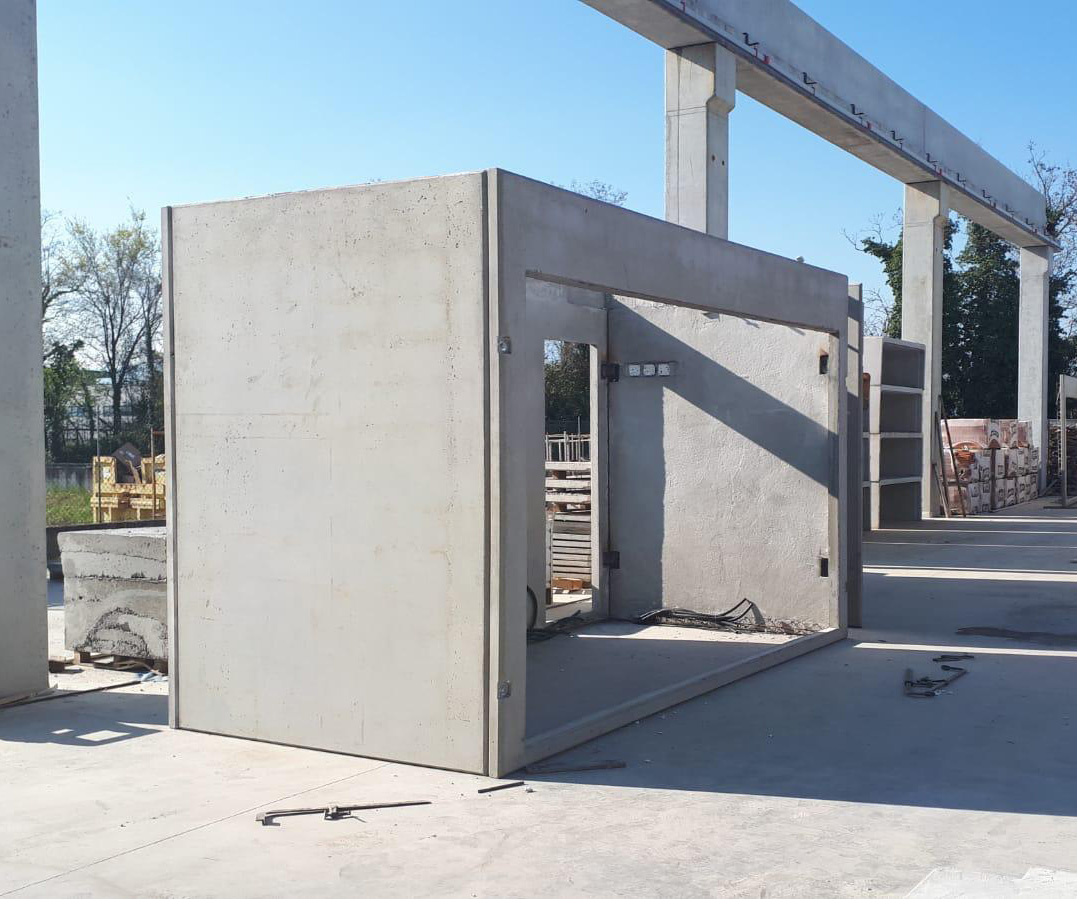
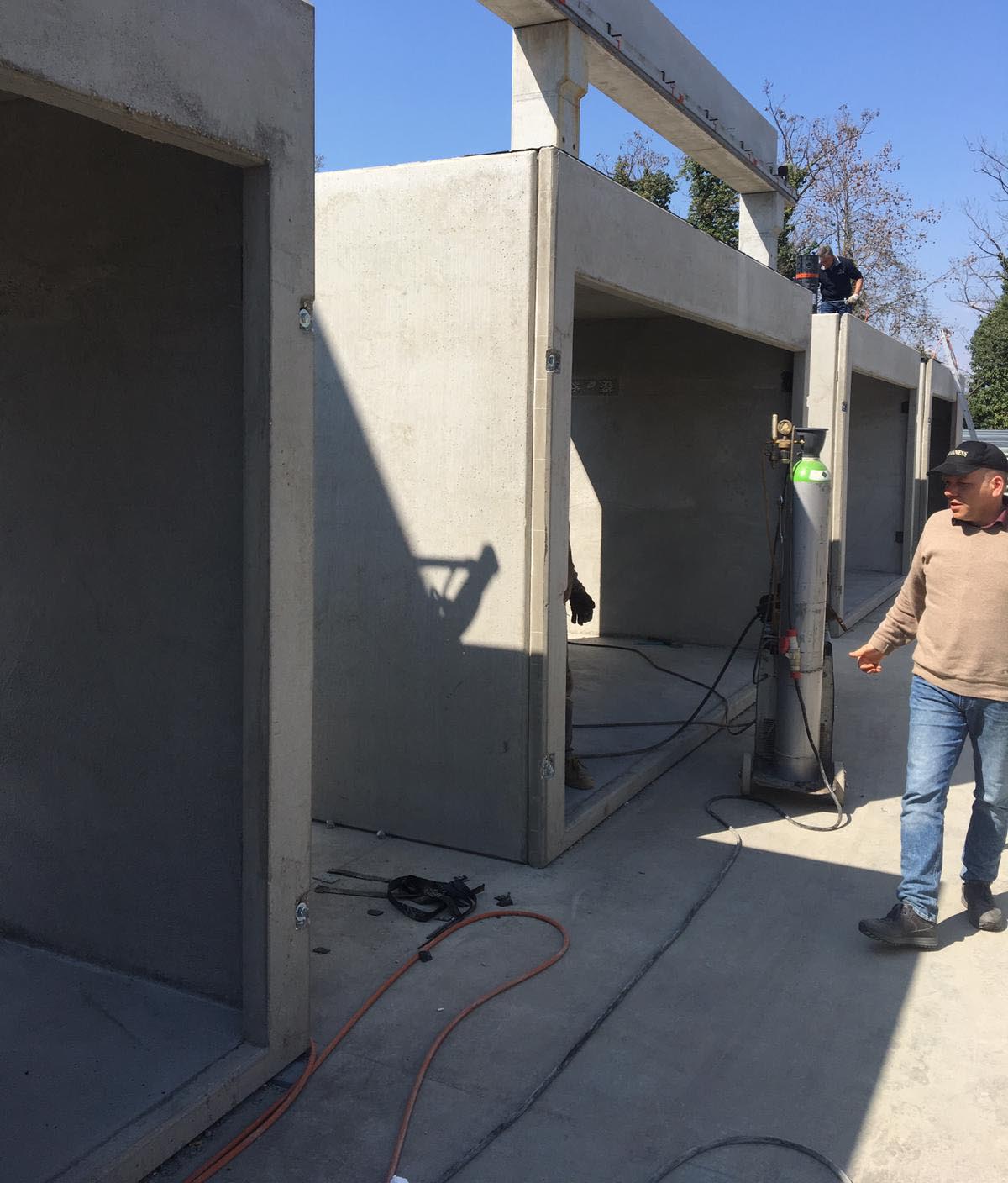


CMC2.0, con i suoi sistemi costruttivi in cemento, a monoblocchi o a pareti, ma comunque su misura e idonei per essere collocati “ovunque nel paesaggio”, ha convinto le Winx: non hanno sentito il bisogno di ricorrere alla magia per la realizzazione delle proprie case!


Piva Group, grazie ai suoi serramenti ha reso i monoblocchi vetrine espositive permettendo ai visitatori di proiettarsi all’interno degli allestimenti e di goderne i dettagli.


WallPepper®, mettendo a disposizione le proprie carte da parati ha permesso ai designer di personalizzare interni ed esterni degli allestimenti e di sperimentare le capacità tecniche ed estetiche dei loro prodotti.


Mosaico Digitale®, attraverso l’uso di innovative tecnologie e materiali ha contribuito nel rendere magici e interattivi gli spazi, stimolando i giovani progettisti a reinterpretare il mosaico.


FCA SNC, mettendo a disposizione il proprio know how e le proprie tecnologie ha guidato i designer nella finalizzazione degli arredi in legno e nella loro prototipazione.


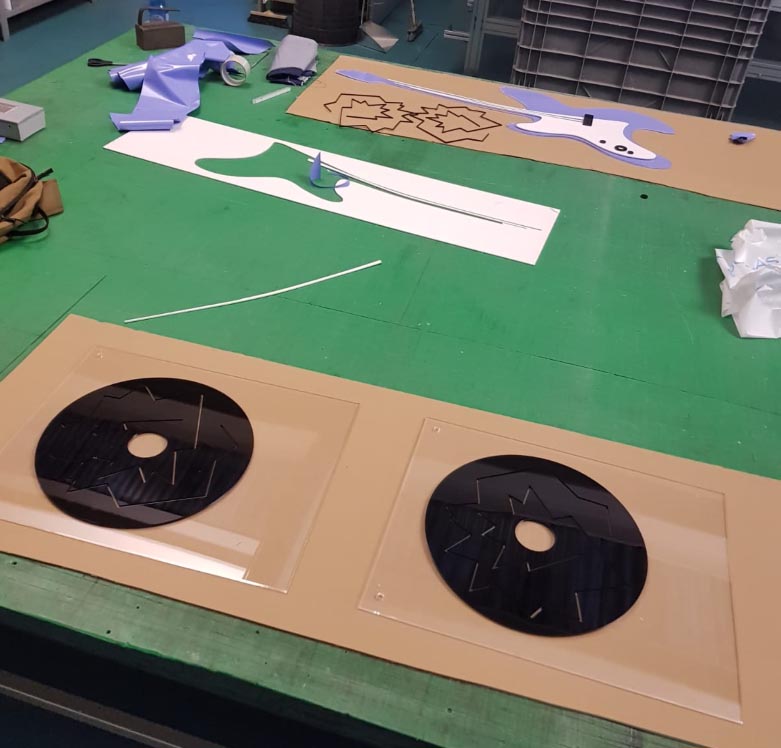
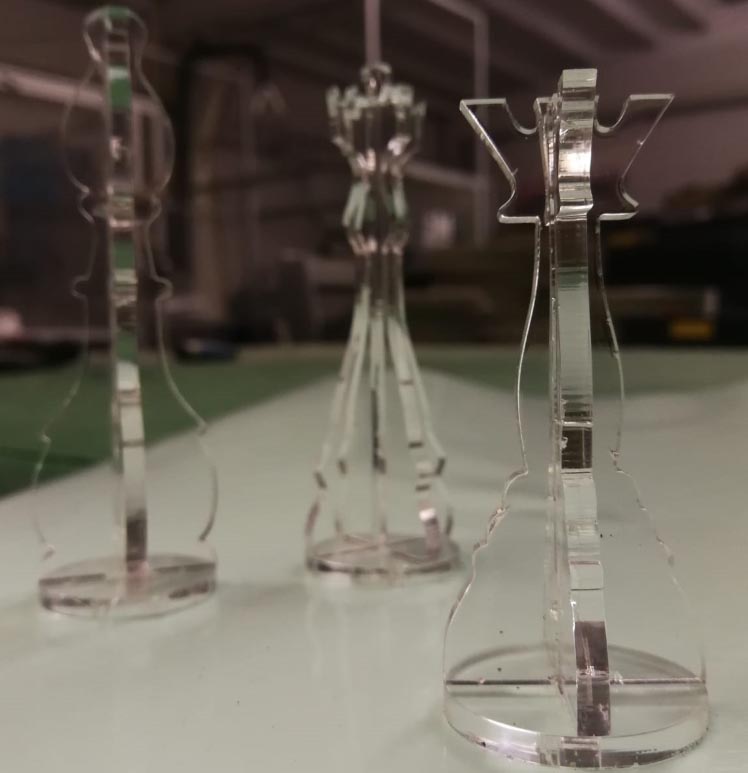
LC Forniture Industriali, grazie all’approfondita conoscenza dei materiali nel settore design, ha reso possibile la realizzazione di arredi, complementi, lampade e accessori in plexiglass, oltre che oggetti in spugna tecnica ad alta densità e pavimentazione a specchio in composito alluminio e pvc.


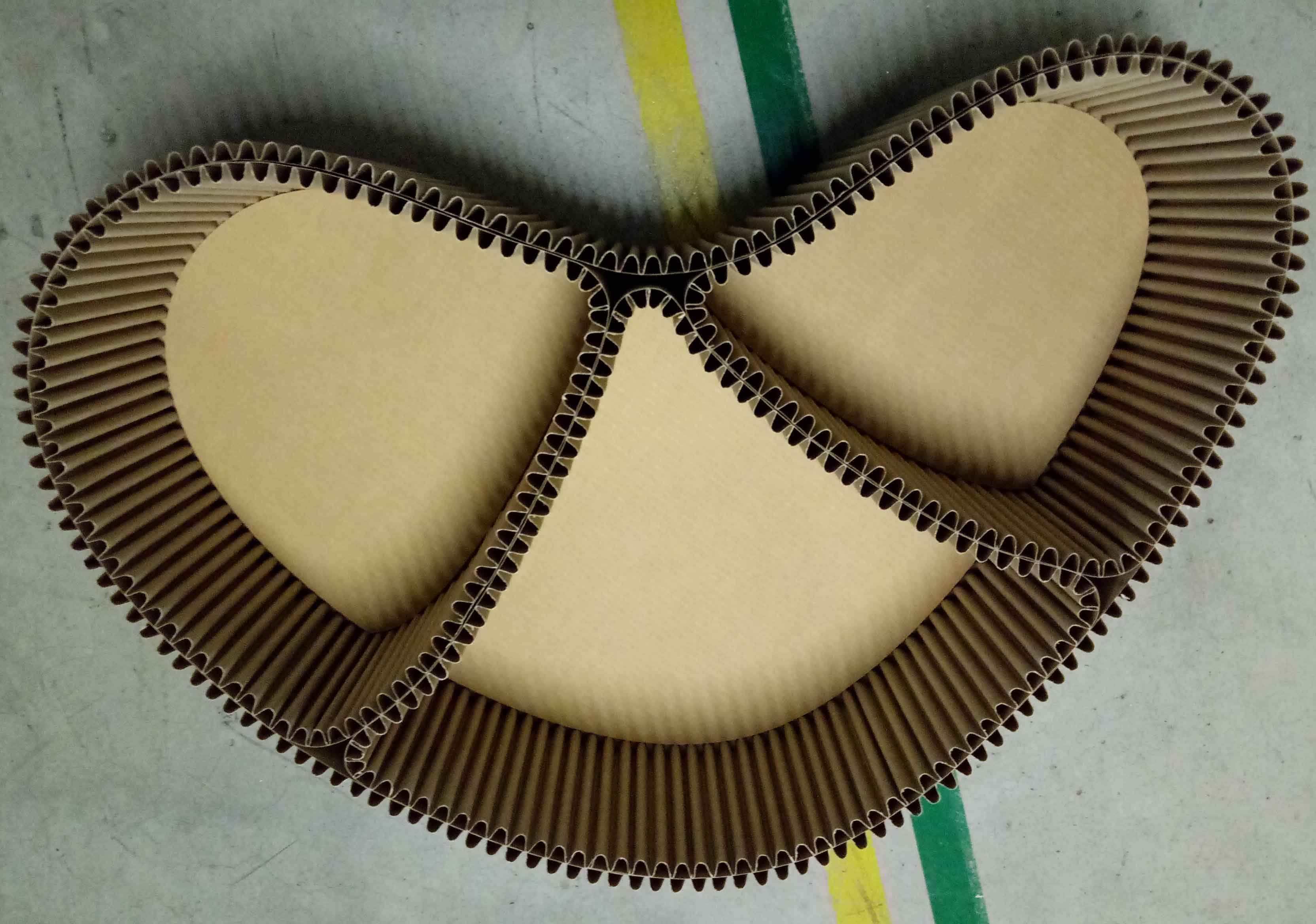
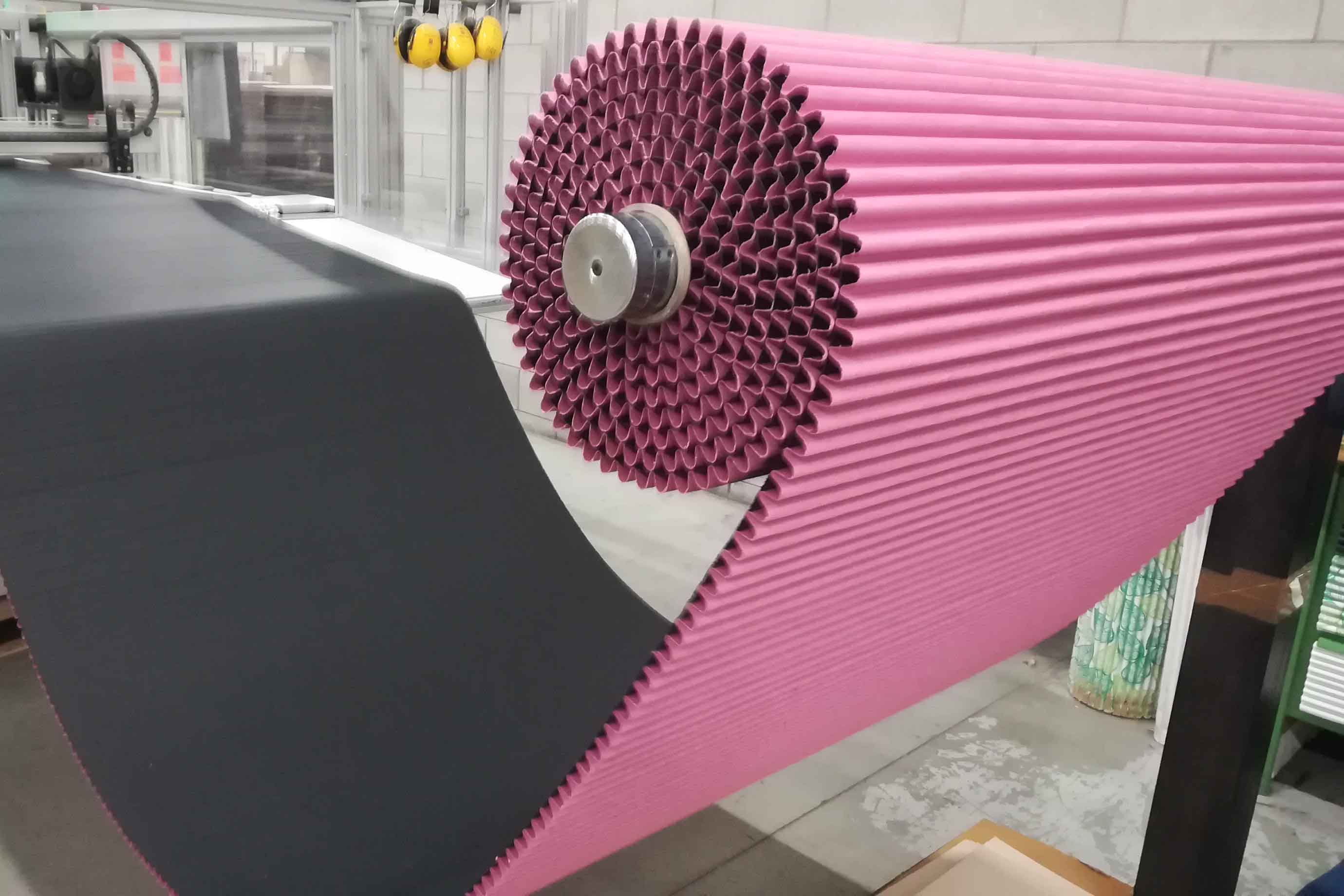
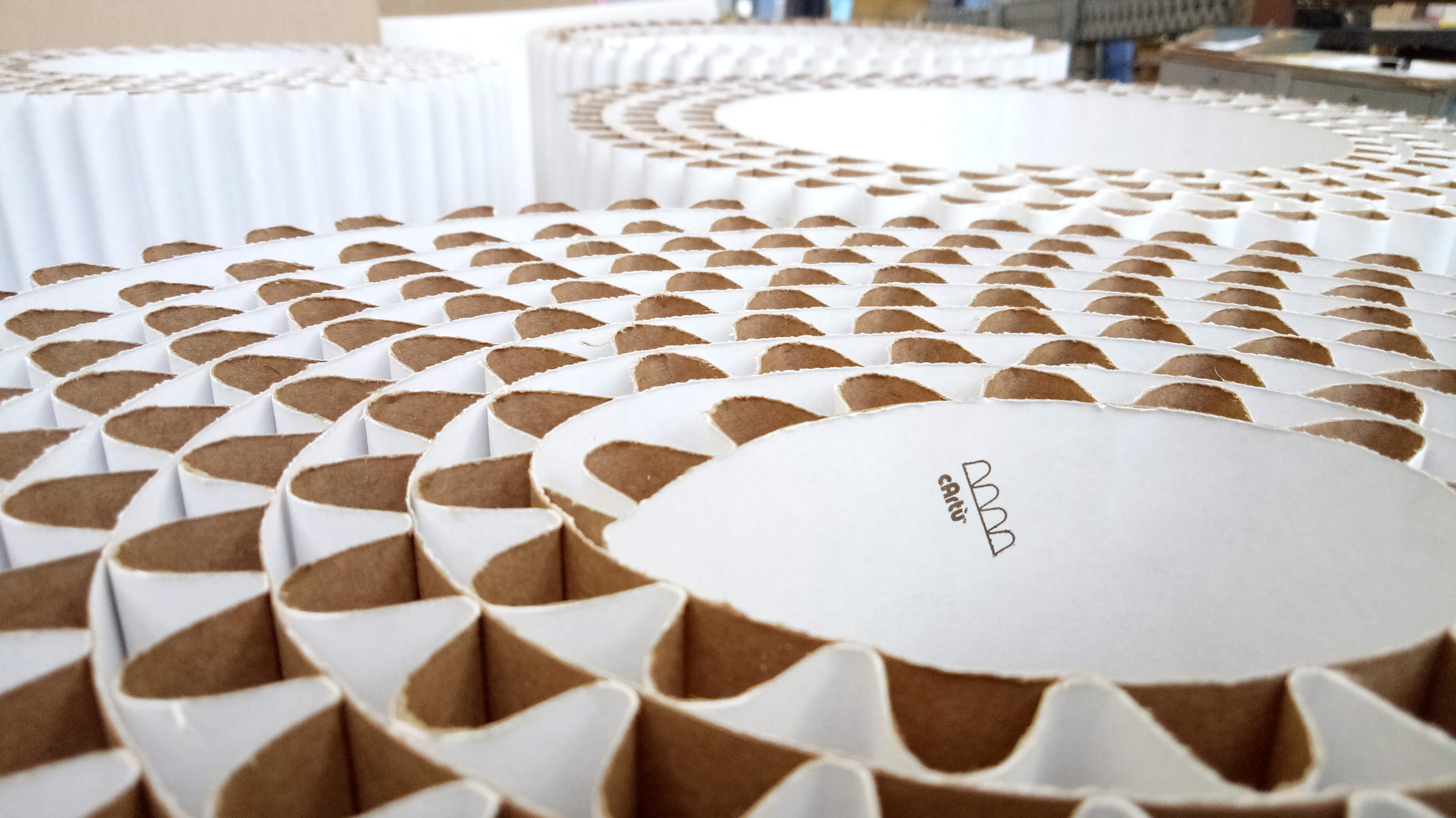
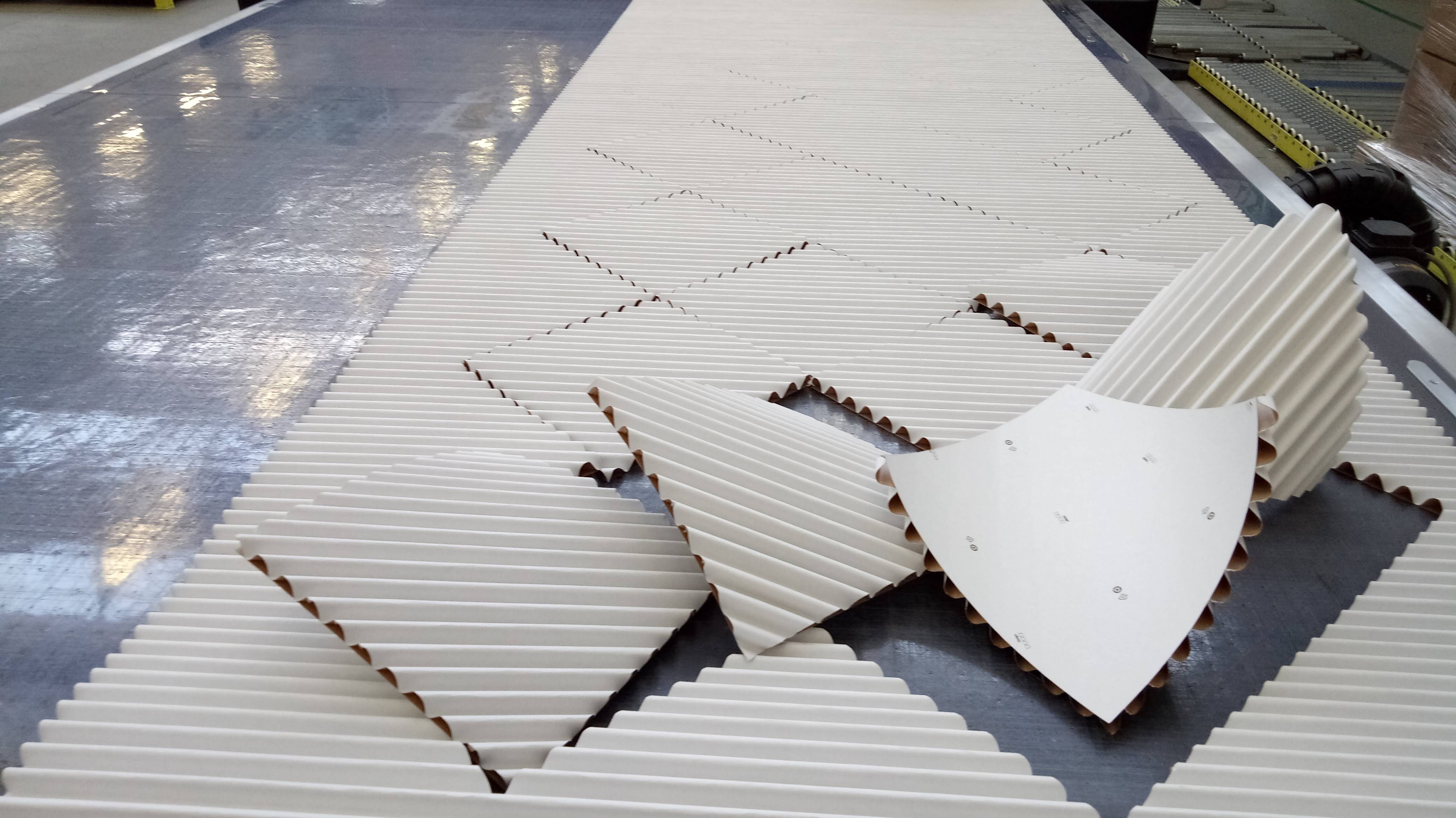
Grifal SpA, ha trasferito ai designer la propria vision di un nuovo cartone ondulato – a marchio cArtù –  reinventato rispetto al suo classico utilizzo, portandoli a progettare librerie, sedute ed elementi di arredo inaspettati.


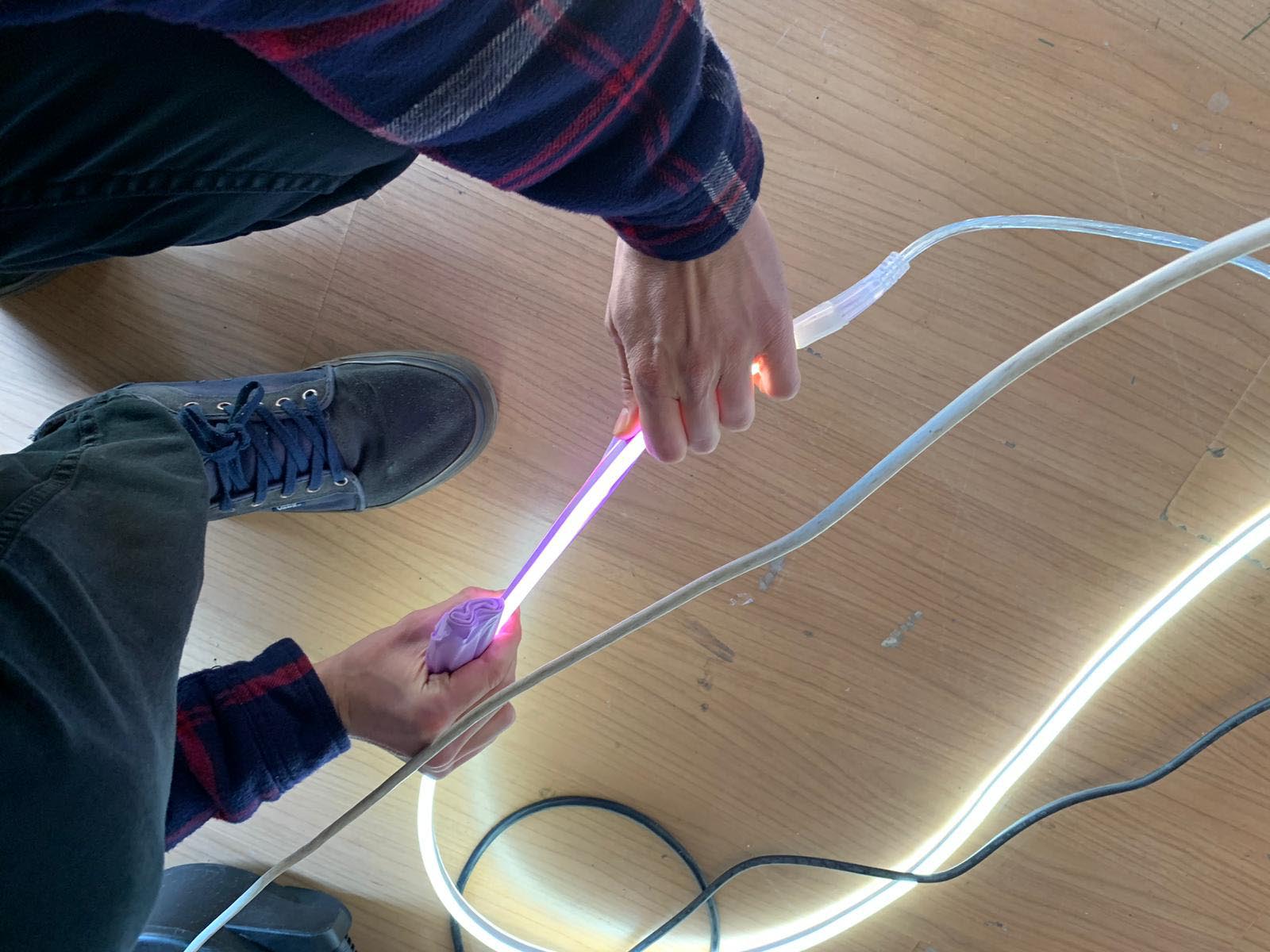
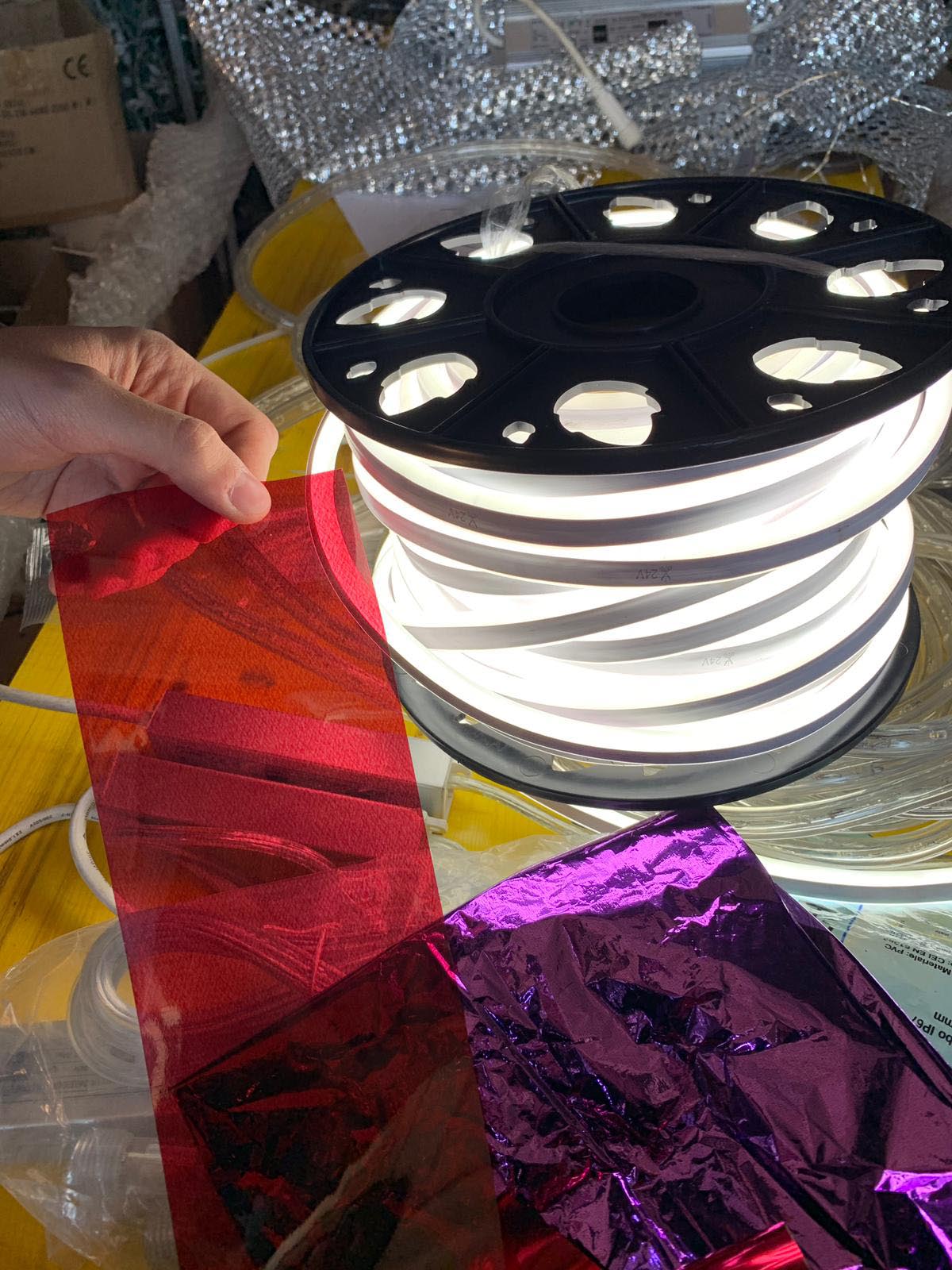
On Light PF, ha aiutato i designer nella realizzazione dell’illuminazione e degli effetti “magici” di luce all’interno degli spazi, mettendo a disposizione le loro più avanzate tecnologie.


Specchiopiuma, con i suoi sistemi flessibili e modulari per la realizzazione di superfici riflettenti ha potuto creare effetti ottici e di profondità negli spazi.


Kose & ISI Milano, hanno messo a disposizione le loro opere e i complementi di arredo in porcellana donando agli allestimenti l’aspetto di ambienti vivi.


EDG Enzo De Gasperi, con le sue decorazioni floreali ha permesso poi di aggiungere un tocco di natura e di realismo agli ambienti.


E infine TaborGlit, che con la sua materia prima rappresenta a pieno l’anima della serie animata fornendo un effetto magico e indistinguibile agli allestimenti.




Sito ufficiale: www.winxclub.com

Tendenze social: #WinxLifestyle #WinxClub #15YearsOfWinx


WINX CLUB IN NUMERI

6 Winx

15 anni di magiche emozioni

Oltre 100 Paesi raggiunti dalle Winx​

8 Serie TV

4 Film TV

3 Film per il cinema

2 Serie animate Original Netflix

1 Serie live action Original Netflix in produzione

170 Canzoni dedicate

18 Trasformazioni

Oltre 100 cambi di abito

30 Nemici storici (tutti sconfitti)

4 Giorni di lavoro per 1 minuto di animazione

Oltre 6.000 minuti di animazione

Oltre 9.000.000 Frame

Infiniti Battiti di Ali


Rainbow

Il Gruppo Rainbow è stato fondato nel 1995 da Iginio Straffi, Presidente e Amministratore Delegato, e ha raggiunto la fama mondiale grazie allo straordinario successo delle fatine Winx. Il Gruppo è attivo nel segmento dell’intrattenimento per bambini e teenager ed è una delle principali realtà di riferimento a livello internazionale nella creazione e nello sviluppo di contenuti - sia animati sia live action - nella realizzazione di prodotti televisivi e cinematografici ad essi ispirati, nella loro successiva commercializzazione, anche tramite concessione di licenze, nonché nell’attività di produzione animata per società terze che è stata integrata nel 2015 con l’acquisizione della società canadese Bardel Entertainment Inc. Dal 2017 il Gruppo Rainbow, a seguito dell’acquisizione del Gruppo Iven, ha inoltre ampliato la propria offerta prodotti televisivi e cinematografici dedicata ad adulti e famiglie attiva sul mercato da oltre 30 anni. Nel corso di oltre 20 anni di storia il Gruppo ha creato e sviluppato diverse property e oggi può contare su un portfolio di prodotti trasmesso in oltre 100 Paesi, attraverso le diverse piattaforme di broadcasting. Rainbow è un fenomeno riconosciuto di licensing, ricopre la tredicesima posizione nella Top Global Licensor List con più di 500 licenziatari attivi su scala mondiale.


Comunicazione Rainbow

Daniele Mignardi Promopressagency

Rif. Nadia Rosciano - T +39 6 32651758 r.a.

[email protected]  - www.danielemignardi.it

Facebook: Daniele Mignardi Promopressagency - Twitter: @DanieleMignardi


Ufficio Stampa  Rainbow

Silvia Conti

T +39 07175067442

[email protected]


BRANDS